

6 Things to Know About OpenVINO 2023.3 LTS Release

Intel recently unveiled the latest long-term support (LTS) release of the Intel ® Distribution of OpenVINO toolkit. This new release gives developers the ability quickly and easily develop world-class AI applications or deploy deep learning inference workloads from edge to cloud.
Here’s what you need to know about this latest update of the AI inferencing toolkit:
What is an LTS release and how is it different from other releases?
In the software industry, an LTS release’s focus is to expand or consolidate features already introduced in the previous releases of the same product and guarantee long-term support for them. It provides AI developers with one year of bug fixes and two years of security patches from the date of the official release.
While the price to pay for this stability and longevity is the lack of additional features for such releases in their entire life cycle, the good news is that all the new capabilities introduced to OpenVINO this year will be included in the 2022.3 LTS release. Those features include dynamic shapes, automatic batching, performance hints, the AUTO plugin, and support for Intel’s new discrete GPUs (Intel ® Arc and Flex Series) as well as 6th to 13th-generation Intel ® Core processors.
The LTS also includes the new API 2.0, which was introduced in OpenVINO 2022.1 earlier this year and designed to make it easier for AI developers to adopt and maintain code. More information on API 2.0 and how to transition is available here.
What’s new?
In addition to an integrated, stable, and well-tested release of the toolkit’s 2022 updates, OpenVINO 2022.3 LTS comes with support for additional deep-learning models and devices.
AI developers will find broader support for transformer-based natural language processing (NLP) models like GPT and OpenAI Whisper, and other models like Stable Diffusion (Figure 1); improved portability and performance enhancements; an integration with Hugging Face Optimum; new Jupyter notebook tutorials for YOLOv7, Style Transfer (Figure 2), and 3D Point Cloud Segmentation (Figure 3); and more.

Stable Diffusion generates complex artistic images based on text prompts. For example, butterfly partly on top of a snowy mountain.

Style Transfer blends a single style into a given image.
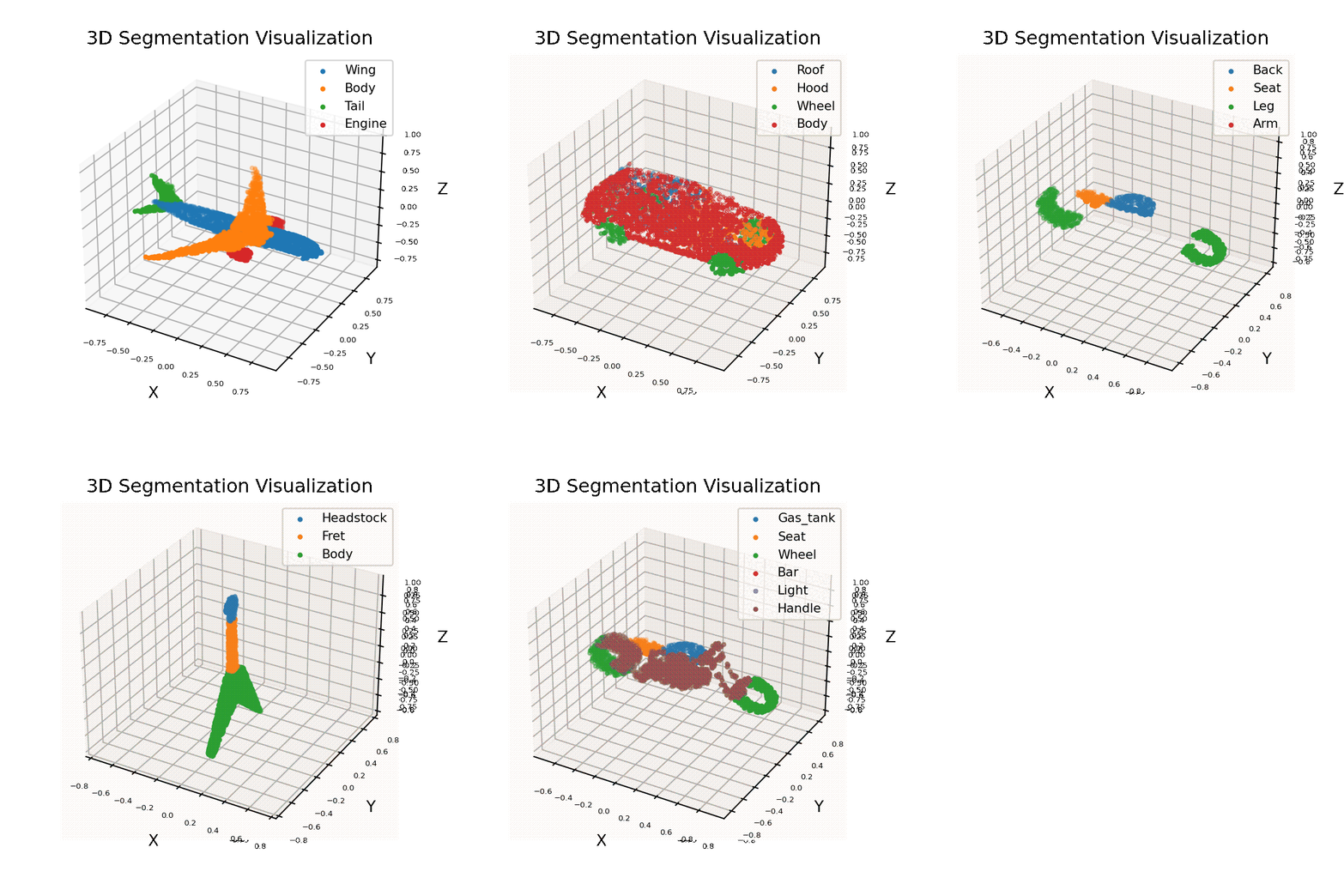
3D Segmentation Visualization uses OpenVINO to consume point cloud data and perform inferences.
Hardware support
On the hardware side, the short story is that OpenVINO 2022.3 LTS runs faster and smarter on more GPUs than ever before. The full story is about performance boosts across all supported CPUs and GPUs, hand in hand with automatic device discovery and load balancing, dynamic inference parallelism, and selection of compute modes added to AUTO functionality—enabling multiple accelerators (e.g., multiple Intel® Data Center GPU Flex Series) to be used at once to maximize inferencing performance.
And above all, we are quite happy to share that OpenVINO 2022.3 LTS officially fully supports Intel discrete GPUs!
Why is support for discrete Intel® GPUs big news?
This is the first time OpenVINO is providing gold-level support for running inference workloads on Intel discrete GPUs. Backed by more than five years of experience optimizing, testing, and deploying inference on Intel® Processor Graphics (or “iGPU”), this is just the last step of a long journey that successfully brings OpenVINO to many affordable GPUs that are widely available for desktops, laptops, and servers.
Will the OpenVINO 2022.3 LTS break your existing AI code?
Not if that code was written or had already been ported to the new API 2.0.
If you plan on upgrading to future versions of OpenVINO in 2023 to leverage new features, keep in mind that these features and optimizations will not get backported to the 2022.3 LTS release. For production deployments, we recommend staying up to date with OpenVINO 2022.3 LTS dot releases until new features in 2023 are stabilized in next year’s LTS.
When should you upgrade and what is the best way to upgrade?
We recommend that everybody wishing to quickly develop and deploy high-performing AI applications use OpenVINO 2022.3 LTS. But, for whatever reason, if that is not possible and you don’t want or need to take advantage of all the great features released throughout the year, the previous LTS release, OpenVINO 2021.4 LTS, will be supported with security patches until 2024.
When deciding, it’s extremely important to keep in mind that LTS releases are the only ones for which we provide official bug fixes and security patches through dot releases over an extended period of time.
You can upgrade to OpenVINO 2022.3 LTS using the following command:
| pip install –upgrade openvino-dev |
However, make sure to check all your dependencies because the upgrade may update other packages beyond OpenVINO. If you wish to install the C/C++ API, pull a pre-built Docker image or download from another repository, visit the download page to find a package that suits your needs. If you are looking for model serving instructions, check out the new documentation.
In addition to an integrated, stable, and well-tested release of the toolkit’s 2022 updates, OpenVINO 2022.3 LTS comes with support for additional deep-learning models and devices.
AI developers will find broader support for transformer-based natural language processing (NLP) models like GPT and OpenAI Whisper, and other models like Stable Diffusion (Figure 1); improved portability and performance enhancements; an integration with Hugging Face Optimum; new Jupyter notebook tutorials for YOLOv7, Style Transfer (Figure 2), and 3D Point Cloud Segmentation (Figure 3); and more.
The post 6 Things to Know About OpenVINO 2023.3 LTS Release appeared first on Analytics India Magazine.